- In the folder pane on the left of the Outlook window, choose the Sent Items folder.
- Open the message that you want to recall. You must double-click to open the message. Selecting the message so it appears in the reading pane won't allow you to recall the message.
- From the Message tab, select Actions > Recall This Message.

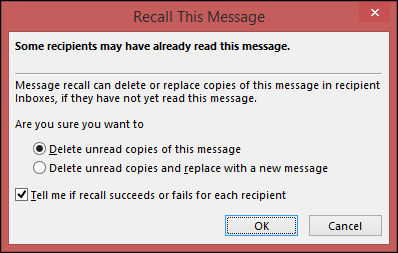
Click Delete unread copies of this message or Delete unread copies and replace with a new message, and then click OK.
 |
| Binoj |


No comments:
Post a Comment