Step 1: Go to Control Panel > Administrative Tools > Services. In the Services window, scroll down and select Windows Update.
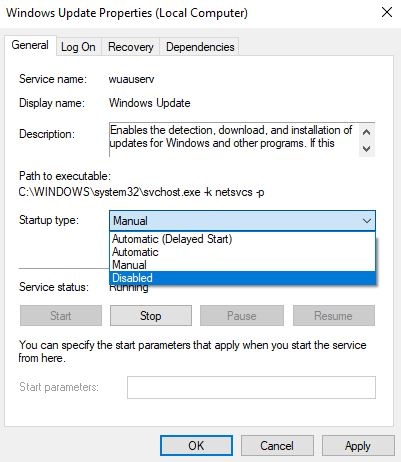
Step 2: Right-click and select Properties.

Step 3: Under
the General tab > Startup Type, select disabled. That will take care
of Windows Updates not being installed on your machine.


No comments:
Post a Comment